Monitoring the performance and health of a herd in Aniprev
View the flock summary
Select the herd you wish to view from the vertical menu on the left-hand side of the page. On the herd’s home page, the overview displays some key figures about the herd (age of animals, mortality rate, feed intake, average weight, etc.) and a summary of the most recent data entry.
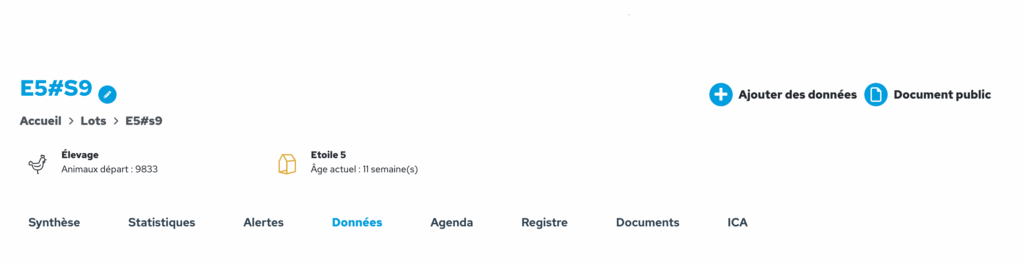
In the horizontal menu for the flock, click on ‘Data’ to view all the data entered for that batch in table form. You can view it by day or by week. You can customise the display by selecting the columns you wish to see, and save your preferences.
There is a filter to show days on which no data has been entered, or, conversely, to hide them.
The customised table can be exported to Excel format.
In the horizontal menu for the flcok, click on ‘Statistics’ to view the graphs for that batch. The following graphs are available:
Amount of feed distributed per animal
Water-to-feed ratio
Consumption index
Average weight of animals
Mortality rate of the batch
These graphs show only the data entered for the selected flock. You can compare data between flocks using the ‘Analysis’ module, which is available in the main menu.
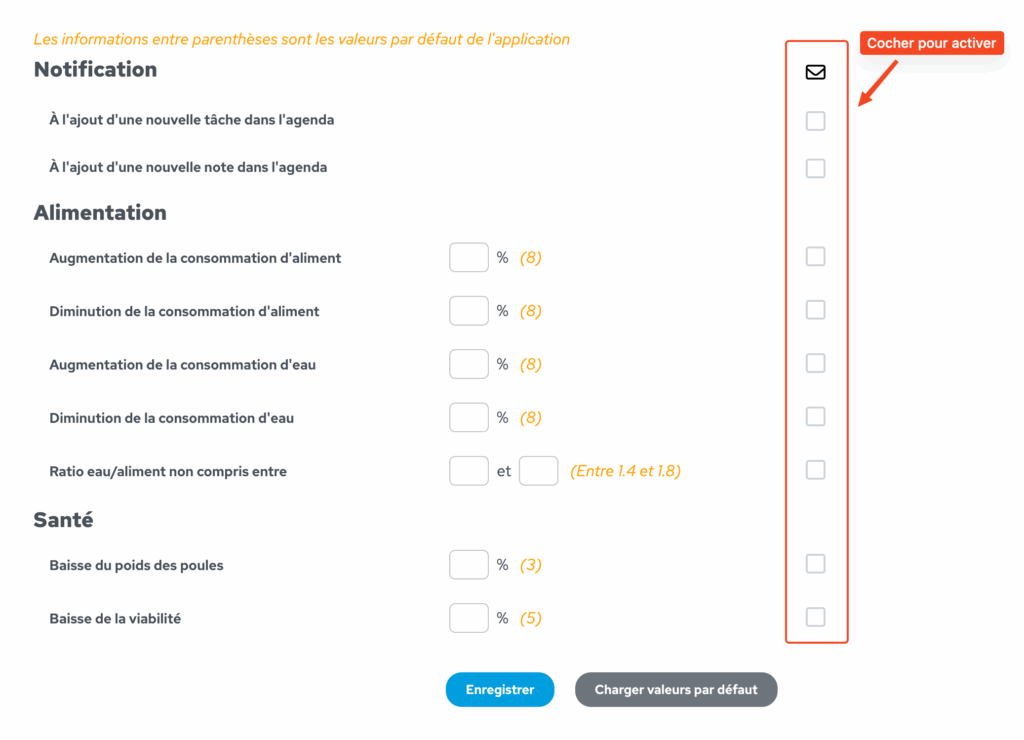
You can set up alerts to be notified when certain metrics reach a predefined value. Food intake, water intake, weight, viability… Here’s how to set them up.
In the app, click on the arrow next to the profile name in the top right-hand corner, then click on ‘Alert management’. Select the flcoks for which you wish to set up new alerts or edit existing ones.
Tick the boxes in the right-hand column to enable the desired alerts. By default, the alerts are set to the values shown in orange. E.g.: If the relevant box is ticked, the farmer receives an alert as soon as feed consumption increases by 8% compared with the last entry. You can customise this figure by entering the value of your choice in the % box.
Alerts configured in this way trigger the creation of a notification, the sending of an email and the creation of an event in the batch’s calendar.